Take control of the AI your team already uses.
Publish the prompt files, rules, and connectors your AI tools load — checked before they ship, and costed after. Your engineers keep working in the tools they already have.
Free for one engineer. No card, no migration.
Works with the AI your team already opened this morning.
- Claude Code
- Claude.ai
- OpenAI Codex
- ChatGPT Enterprise
- GitHub Copilot
- Cursor
- Gemini CLI
Companies adopted AI faster than they adopted any way to govern it.
Your engineers install what works for them, and it does work — until someone asks what is running, who wrote it, and what it costs. Then the answer is a week of asking around.
Nobody can say what the AI is actually loading.
Prompt files and connectors arrive from personal setups and public repositories, and land in your engineers' tools unreviewed. One of them carries a token with far more access than its job needs. Nobody checked it, because checking it was nobody's job.
Nobody knows what it costs until the invoice.
You can see the total. You cannot see which team spent it, which project it went to, or whether any of it produced work you shipped. Overruns get discovered, not prevented.
Nobody knows what actually works.
Teams write rule after rule with no evidence any of them reduce cost, retries, or failures. The good ones and the dead ones look identical from the outside.
One place to publish it, check it, and count it.
Four parts, and you do not have to take all four. Most teams start by publishing one file to one project, then turn the rest on once they can see it working.

Four parts, and you can start with one.
Most teams publish a single file to a single project first, then turn the rest on once they can see it working.
Install a setup that already works.
Nobody should be writing their team's AI configuration into an empty file. Start from a ready-made bundle of rules, review steps, and guardrails — a harness — that other teams have already fought over, then change the parts that do not fit you.
- Best practice as a default, not a memo.
- The conventions you would otherwise write into a wiki page nobody opens arrive as configuration that actually runs, on the machine, in the session.
- One command, every machine.
- Publish it to your organisation and your team picks it up on their next sync. Nobody has to read an instruction, and nobody can half-follow one.
- Yours from the moment you install it.
- The harness is a starting point, not a dependency. Edit any part of it, version your copy, and keep your changes through every update.
resolving org assets… 14 assigned
✓ code-review v3.2.0
✓ migration-guards v1.4.1
✓ base-rules v2.0.0
✓ pre-tool-guard v1.1.0
… 10 more
in sync — lockfile verified ▌
A flight recorder for every AI session.
Every session is kept — the messages, the tools that ran, and the decisions your team made on the way — and all of it is searchable. “Who solved this before?” becomes a query instead of a thread nobody answers.
Nothing is a dead end.
A decision keeps its link to the session that produced it and the version that was active, so the next person finds the reasoning rather than only the conclusion.
Searchable, not merely stored.
Full text across every session you have access to. Members see their own, admins see the organisation's — enforced in the service layer rather than by hiding a button.
It outlasts the person.
When somebody leaves, their access ends that day and everything they worked out stays where the rest of the team can still find it.
Your AI usage improves itself.
Because the same system sees what ran, which version was active, and what it cost, it can tell you which of your rules earned their place — and draft the next one from the corrections your team keeps making by hand.
- Publish
You ship a rule to the team.
- Watch
Every session that used it is recorded.
- Measure
Cost and retries are attributed to that version.
- Improve
The next draft is written from what it saw.
rule: migration-guardrails v1 (draft)
Engineers corrected the model toward branch-database migrations in twenty-three sessions this month. This rule writes that down so nobody has to correct it a twenty-fourth time.
You review the draft. The loop does the noticing. And when you ship it, the same attribution that found the problem tells you what happened to cost afterwards — measured against that version, not asserted in a case study.
Three steps, and an afternoon.
Nothing here needs a migration, a rollout plan, or a meeting with the platform team.
Connect the tools you already use
One command per tool. Your browser opens, you approve it, and that tool is connected. There are no keys to copy and nothing to paste into a settings page.
Bring in what you already wrote
Point it at a project and it collects the prompt files and rules sitting in that repository today. You start from what your team already built, not from an empty page.
Turn it on for everyone else
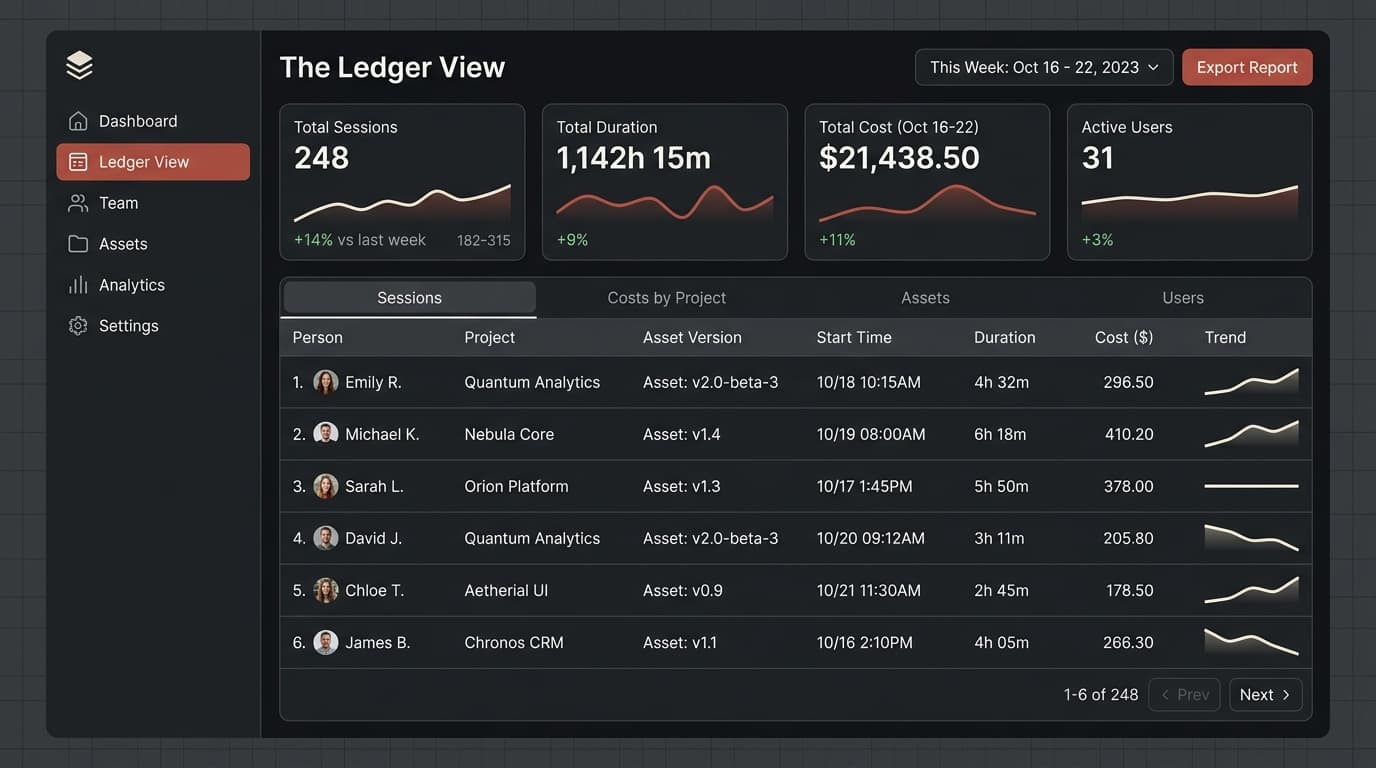
Your team runs one sync command. From then on you can see what is installed, what changed this week, and what it cost — without asking anyone.
In facts, not adjectives.
Every line here is checkable. Ask us for the detail on any of them and you will get the implementation, not a brochure.
We never need a copy of your repositories. What we handle is the configuration your AI tools load and the record of what they ran.
- OAuth 2.1 with mandatory PKCE
- Refresh-token rotation with reuse detection
- Tokens hashed at rest, shown once
- Per-org isolation tested on every route
- Rate limiting per IP and per token
- Multi-factor authentication
- SSO/SAML, OIDC, and SCIM provisioning
- Webhook secrets envelope-encrypted (AES-GCM)
- Audit log with SIEM export
- GDPR export and erase endpoints
- Everything you publish is scanned before it reaches your team
Priced per engineer.
Free
One org, one engineer
$0
- Publish and sync, with a lockfile
- Knowledge recall in every AI session
- Session and cost telemetry
- Community support
Team
Most takenFor a team with more than one engineer
Per seat
- Everything in Free
- Budgets, thresholds, and alerts
- Effectiveness analytics for everything you publish
- Session archive and search
- Signed webhooks with delivery logs
Enterprise
For a company under audit
Talk to us
- Everything in Team
- SSO/SAML and directory sync
- Scanning and managed policy
- Retention controls and audit export
- Invoicing and a named contact
The questions we get first.
If yours is not here, write to us and you will get an answer from someone who built the thing.
Do our engineers have to change how they work?
No. They keep opening whatever is already on their machine. Vincosha sits behind those tools rather than in front of them, so for most of your team the only new step is a single sync command.
Does this read our source code?
No. We handle the files that configure your AI tools and the record of what those tools ran. Your repositories stay where they are, and we never need a copy of them.
We already have prompt files scattered everywhere. Is that a problem?
That is the normal starting point, and the importer exists for exactly it. Point it at a project and it brings in what is already there, so nobody has to rewrite anything to get started.
How long before we see something useful?
Cost and session data appear the same day you connect a tool. The rest depends on how much you import — most teams have their first shared file published within an afternoon.
Is the free plan actually free?
Yes. One organisation, one engineer, no card. It is there so you can confirm the thing works before you ask anyone for budget.
Can we run it on our own infrastructure?
That is part of the Enterprise conversation, along with single sign-on, retention controls, and audit export. Write to us and we will tell you plainly whether we are a fit yet.
AI is already writing your codebase.
Give it a brain, a budget, and a leash.